
Second Brain
Private meeting memory, on your device
Record a meeting or lecture with permission, take time-marked notes, ask what was said later, and inspect the cited passage or moment. Processing stays on-device; notes stay local unless you enable private iCloud sync.

On the App Store this is listed as AI Note Taker: Memory Search.
The Challenge
Important details disappear between the meeting and the moment you need them. Ordinary notes capture only what you had time to type, while cloud meeting bots ask everyone to trust another server with the conversation.
Our Approach
Second Brain makes a meeting an inspectable private memory. After you confirm that everyone permits recording, add a title or context, keep elapsed-time notes while the microphone runs, and let on-device transcription make the conversation searchable. Ask answers from saved evidence; a precise citation opens the relevant recording moment when the transcript has honest timing. Processing stays on-device: there is no Studio AM account or tracking, and optional private iCloud sync remains off until you enable it.
Want to test the organizing idea before installing? The free voice-note organizer sorts a pasted transcript into rough action, decision, idea, date, name, and topic cues entirely in the browser. It uses simple matching rather than AI and saves nothing; the app’s on-device model handles the deeper private workflow.
Key Features
- Record deliberately. The meeting door asks for permission confirmation and optional context before opening the microphone; recordings never start by themselves.
- Take notes without leaving the recording. Open the active meeting note, add an elapsed-time marker, keep typing, and stop the microphone from the same editor.
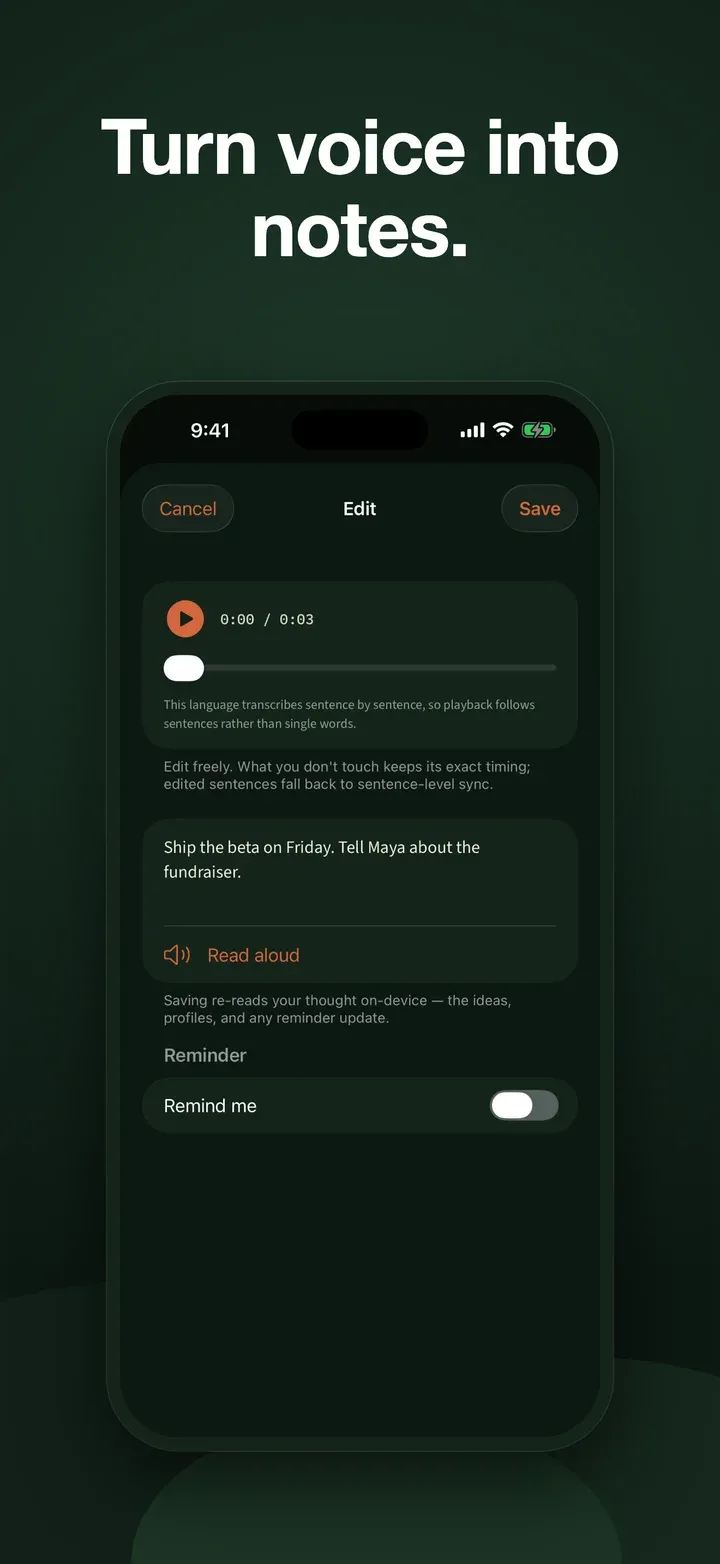
- Search what was said. Play recordings and transcribe them on-device so spoken words join the same private search as typed notes.
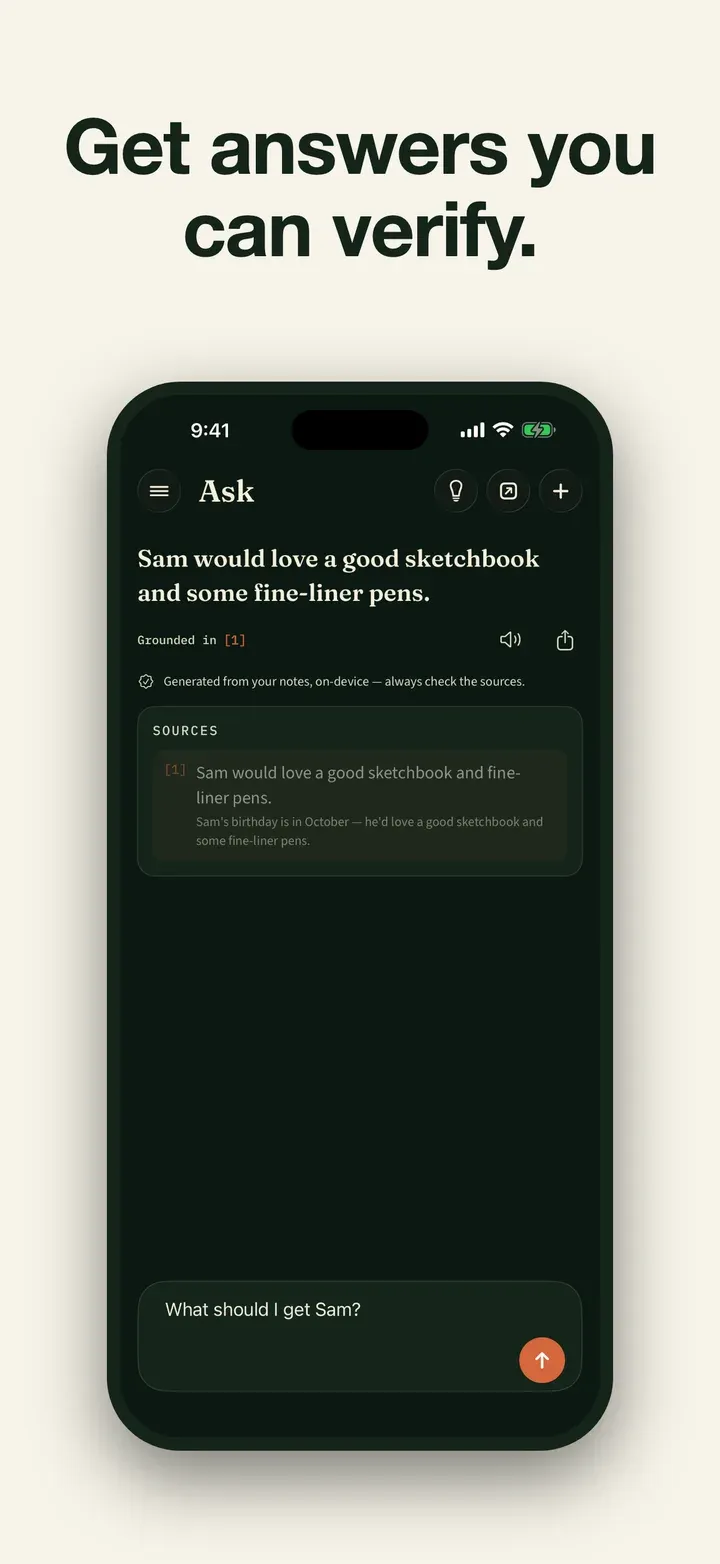
- Inspect the answer. Plain-language questions get grounded answers with cited passages. When an exact timed passage is available, its citation opens that moment; otherwise the app shows attribution without inventing precision.
- Take selected context anywhere. Review retrieved facts, remove anything private, then copy or share a clean context-and-question prompt. Nothing is sent automatically.
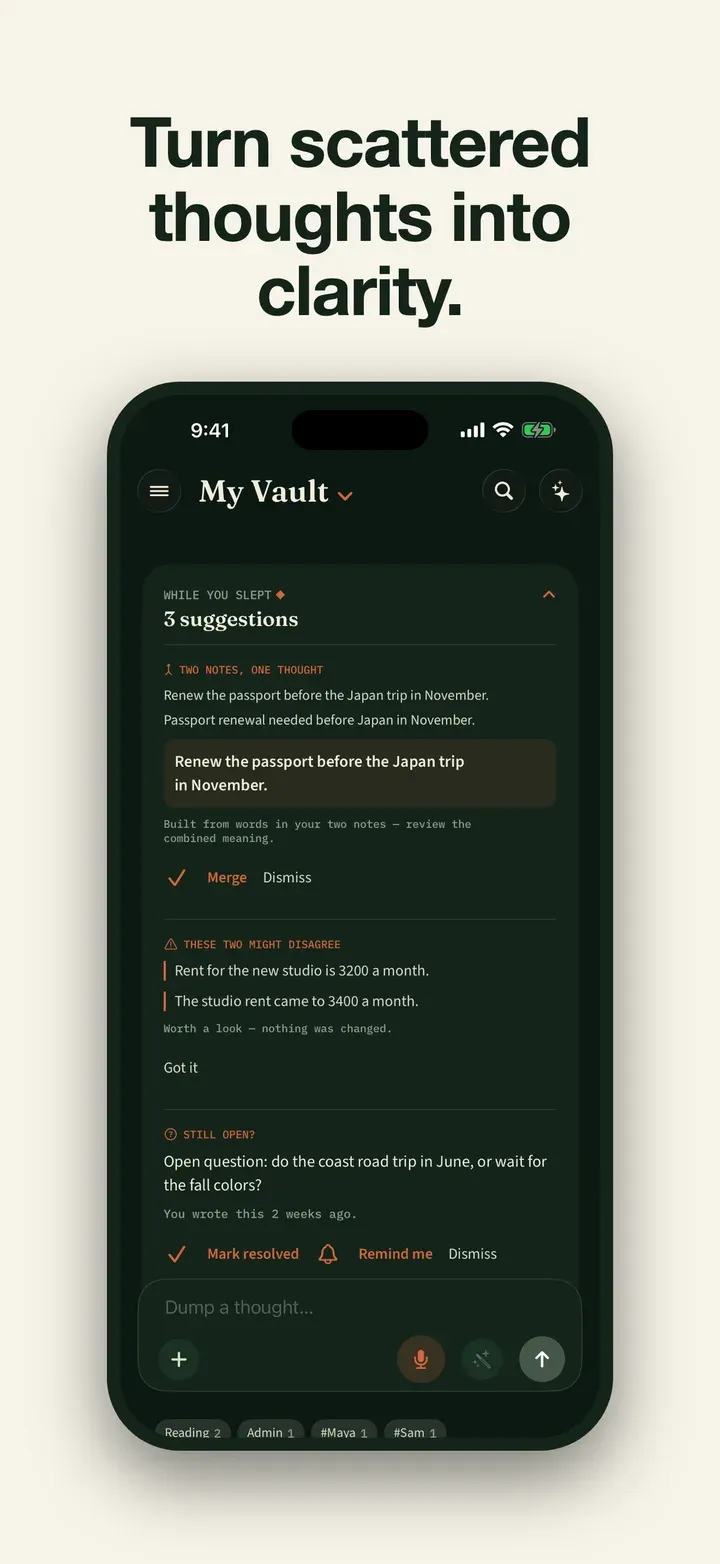
- It organizes itself. Thoughts are split into self-contained ideas, tagged by the people, companies, and projects they mention.
- Reminders from your own words. “Remind me Thursday” in a captured thought becomes a real reminder.
- Reflect. A private look at the themes running through your recent thinking.
- Yours, portable. With an active subscription, Settings offers non-restorable JSON and Markdown exports that omit media. Archive mode offers only the separate, non-restorable complete archive ZIP with available original photos and recording audio.
- Private by design. No Studio AM login, AI-processing server, analytics, tracking, or ads. Direct model and natural-voice downloads use the separate provider boundary described below. The exact-question DuckDuckGo handoff opens in the default browser only if you tap Search the web.
Requirements
Requires iOS or iPadOS 26 or later. Devices with Apple Intelligence use Apple’s built-in on-device model. Other supported devices may download a pinned Gemma artifact or LFM bundle directly from Hugging Face; the optional Kokoro natural voice also downloads directly from Hugging Face. These fixed-file requests contain no note text, transcript, recording audio, or other saved app content. Hugging Face may receive linked approximate-location, diagnostic, and download-interaction metadata for app functionality, analytics, and other purposes, without tracking; Studio AM receives none of that provider data. See the Hugging Face Privacy Policy and our Second Brain Privacy Policy. Once setup is complete, AI processing and transcription remain on-device and core features can work offline. Answers are AI-generated from your notes, so review anything important against the cited source.
Results
A private record you can question and verify: meeting audio, live notes, transcripts, and cited moments stay useful without uploading the conversation for AI processing. Monthly and annual subscriptions use the current local price and any eligible introductory offer shown by the App Store; without an active subscription, saved material remains readable, searchable, playable, and deletable, while the complete archive ZIP is the only export offered.
Common questions
Second Brain is a private iPhone and iPad meeting-memory app: start a user-authorized recording, add a title or context, take elapsed-time notes while it runs, search the on-device transcript, and ask questions whose cited passages can open the relevant recording moment when timing is available. It also accepts ordinary text, shared notes, scans, and voice memos. There is no functional free plan: monthly and annual subscriptions use the current local price and any eligible introductory offer shown by the App Store. With an active subscription, Settings offers Markdown and structured JSON exports that omit media and cannot be restored into the app. Without an active subscription, previously saved notes remain readable and searchable, recordings remain playable, existing items remain deletable, and the only export offered in archive mode is a non-restorable complete archive ZIP with available original photos and recording audio. AI processing and transcription run on-device; notes stay local unless optional private iCloud sync is enabled, while recording audio stays on the recording device. On supported devices, a pinned Gemma or LFM model and the optional Kokoro natural voice download directly from Hugging Face without note or voice content in either request. Hugging Face may process linked connection, diagnostic, and download-interaction metadata under its own privacy policy; Studio AM receives none of that provider data. If Ask abstains, an optional Search the web action opens the exact question as a DuckDuckGo query in the default browser only after the user taps it.
How is it different from a normal notes app?
You can record a meeting, take time-marked notes while it runs, then ask a plain-language question such as 'When did we move the launch?'. The answer is drawn only from what you saved and links back to its cited passage or recording moment when timing is available. When it does not have something, it says so.
Is my data private?
AI processing and transcription run on-device. Studio AM has no account, AI-processing server, analytics, advertising, or tracking, and cannot read your private iCloud data. A pinned Gemma or LFM model and the optional Kokoro natural voice download directly from Hugging Face; neither request contains note or voice content. Hugging Face may process linked connection, diagnostic, and download-interaction metadata under its own privacy policy. If Ask has no grounded answer, Search the web opens the exact question as a DuckDuckGo query in the default browser only after you tap it. After setup, core processing works offline.
How do I capture a thought?
Type a note, share text from another app, dictate text, record a quick voice memo, or choose Record a meeting. The meeting path asks you to confirm permission, accepts an optional title or context, and lets you add elapsed-time notes while recording. A recording you start can continue in the background; afterward, on-device transcription makes its words searchable. The app never starts recording by itself.
Is it free? How much does it cost?
There is no functional free plan. Monthly and annual subscriptions use the current local price and any eligible introductory offer shown by the App Store before purchase. A subscription authorizes new notes, recordings, imports, and AI output. Without one, saved notes remain readable and searchable, recordings remain playable, existing items remain deletable, and archive mode offers only the complete archive ZIP export.
Can I get my notes out of the app?
Yes. With an active subscription, Settings offers structured JSON and Markdown exports; both omit media and are non-restorable records. After a subscription ends, the only export offered in archive mode is the separate, non-restorable complete archive ZIP with available original photos and recording audio. Optional private iCloud sync is available and off by default.
Can it prepare context for another AI?
Yes. Enter a question, review the relevant facts Second Brain finds in your notes, remove anything you do not want to include, then copy or share the resulting context and question. The app never sends that material automatically.
Can it remind me of things?
Yes. If a captured note says something like 'remind me Thursday', it becomes a real reminder.